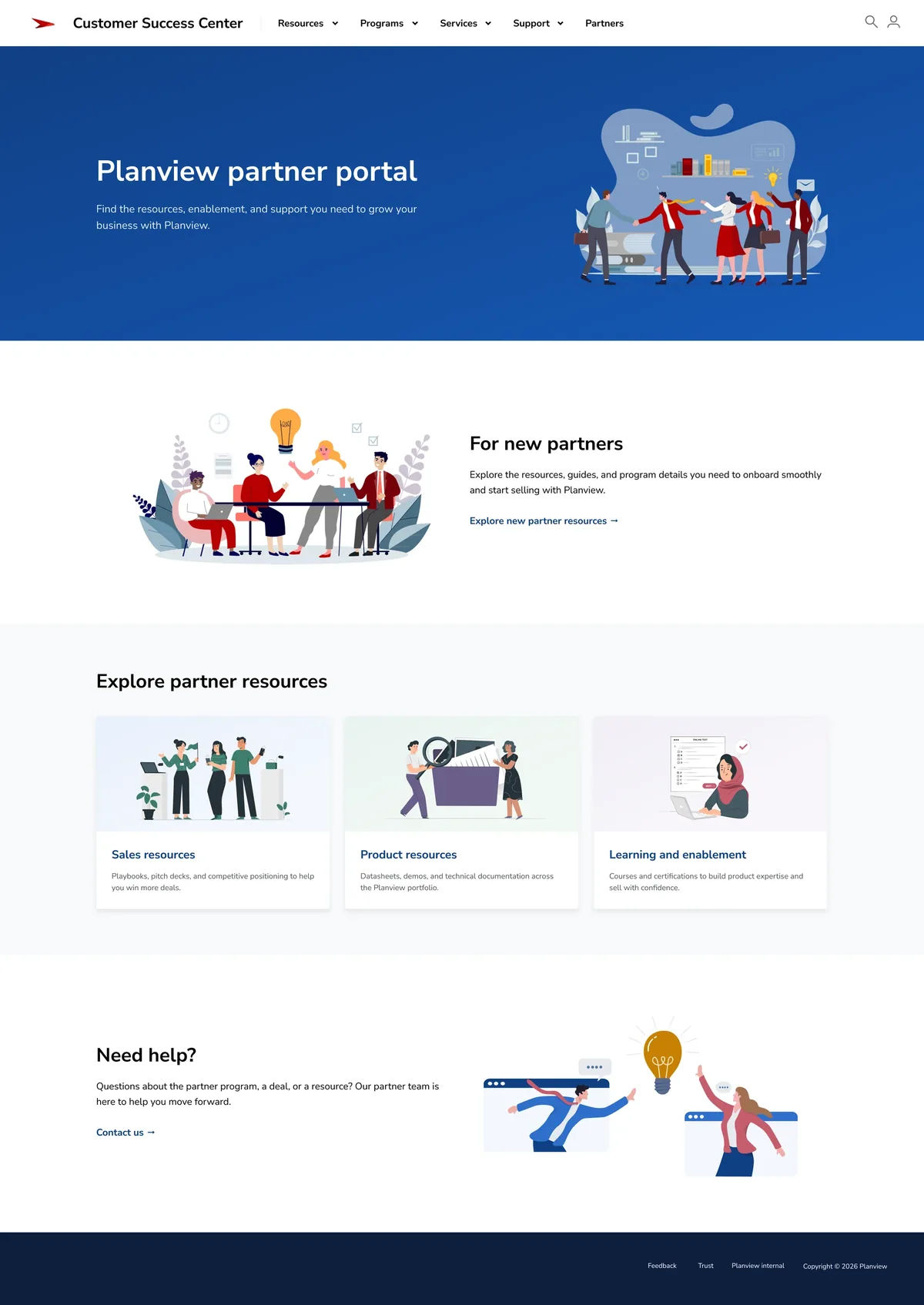
Understanding our partners
I worked with Partner Enablement to understand the people using the portal and what they needed from it.
Sales partners, implementation partners, and partners new to the program came with different levels of experience, responsibilities, and goals. Mapping those needs helped me understand where each audience needed guidance and what they were trying to accomplish.
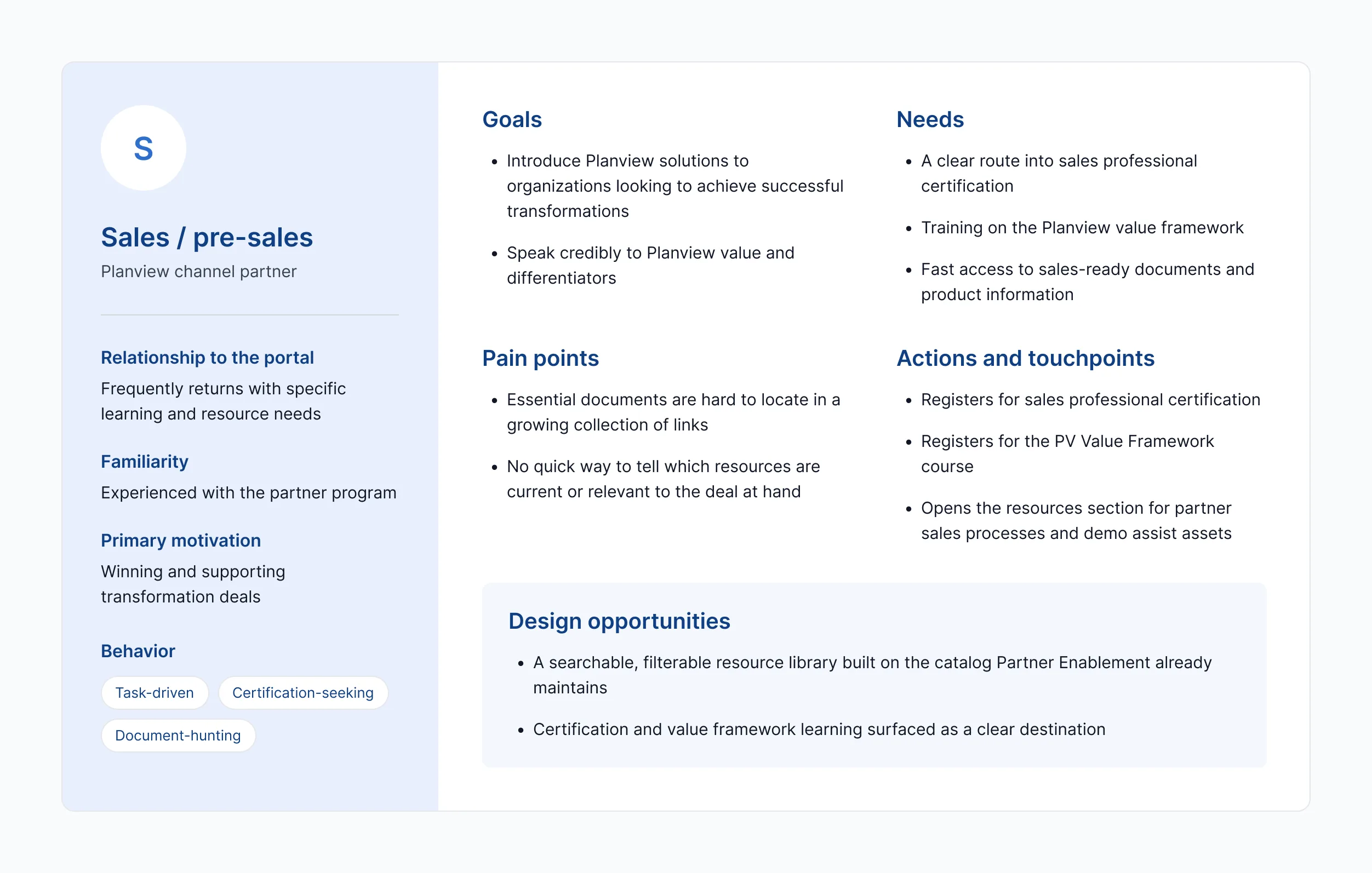
New partners needed orientation. Experienced partners often arrived looking for something specific.
How might we create clear paths for partners with different goals and levels of familiarity, while keeping important resources easy to find?
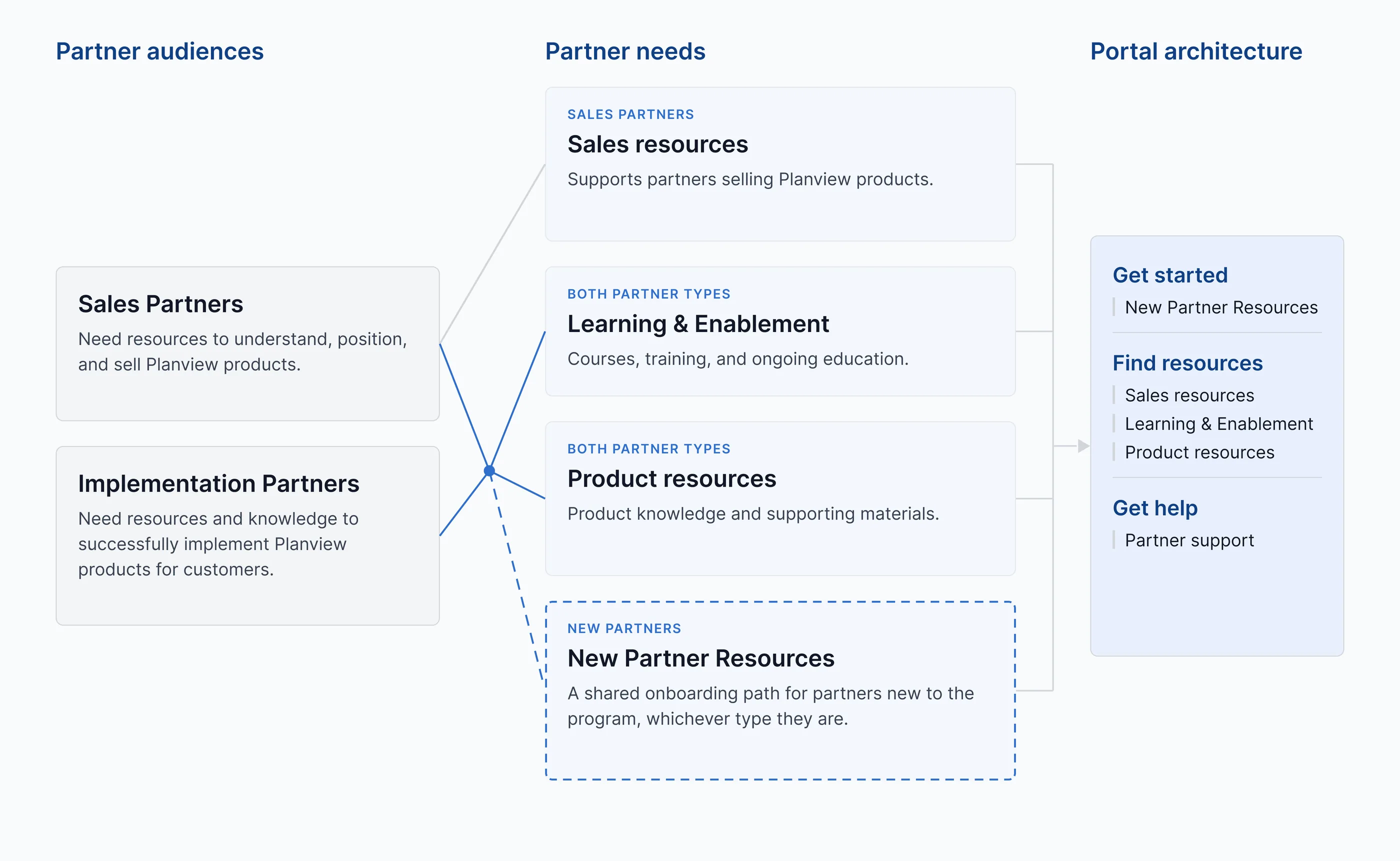
Creating paths through the portal
I explored ways to balance guided pathways with direct access to frequently used resources.
The final architecture gave new partners clearer orientation while allowing returning partners to move quickly toward resources, learning, or help.
Turning a catalog into a resource center
For returning partners, the need was often immediate: find a presentation, pricing information, product material, training, or implementation guidance.
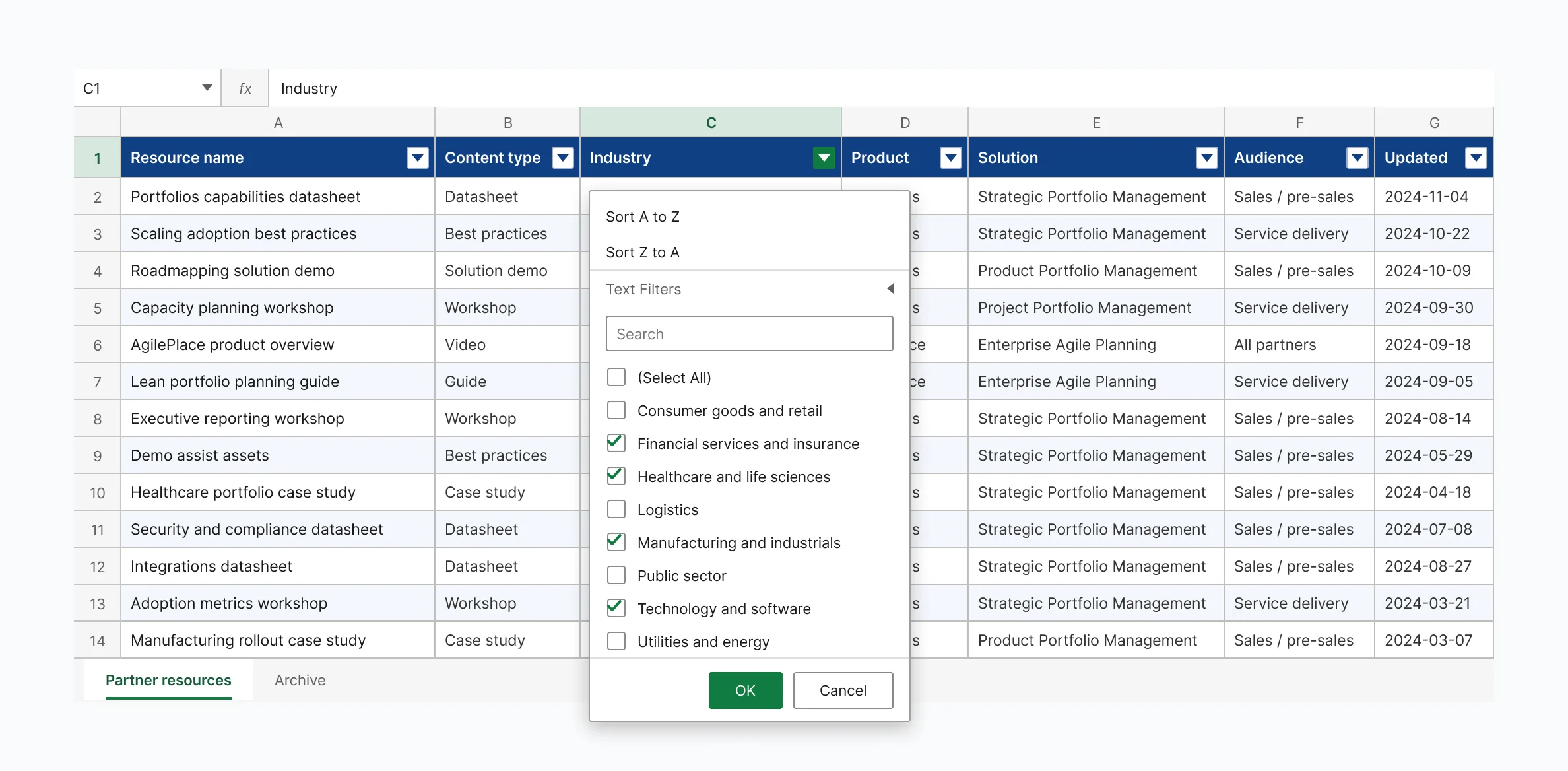
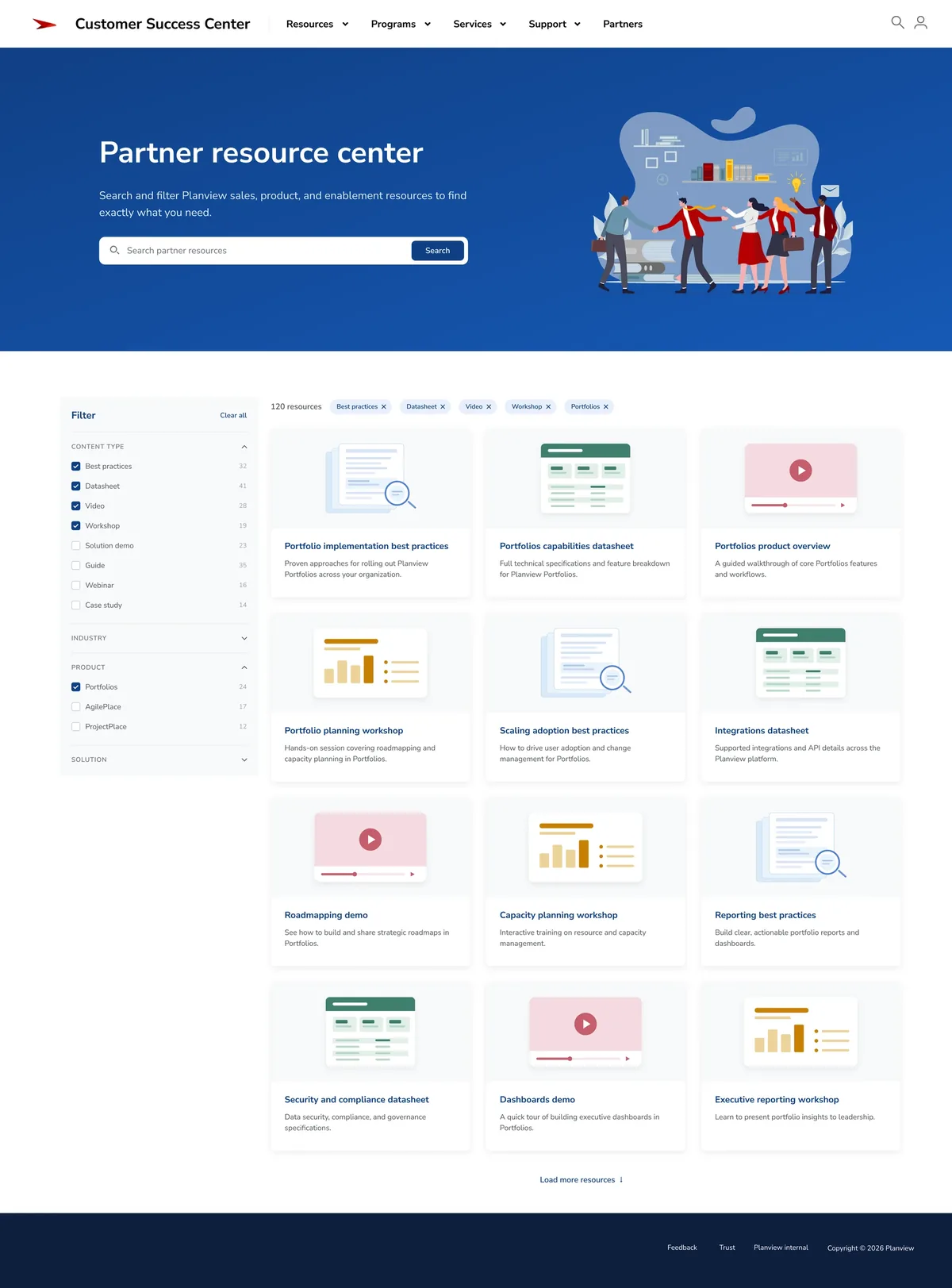
Partner Enablement already maintained its catalog in a spreadsheet. I used that workflow as the foundation for a searchable, filterable resource library — its columns became the filter facets.
The resource center
Search first, then filters that narrow rather than branch. Partner Enablement kept maintaining one spreadsheet; partners got a catalog they could actually search.
Giving new partners somewhere to begin
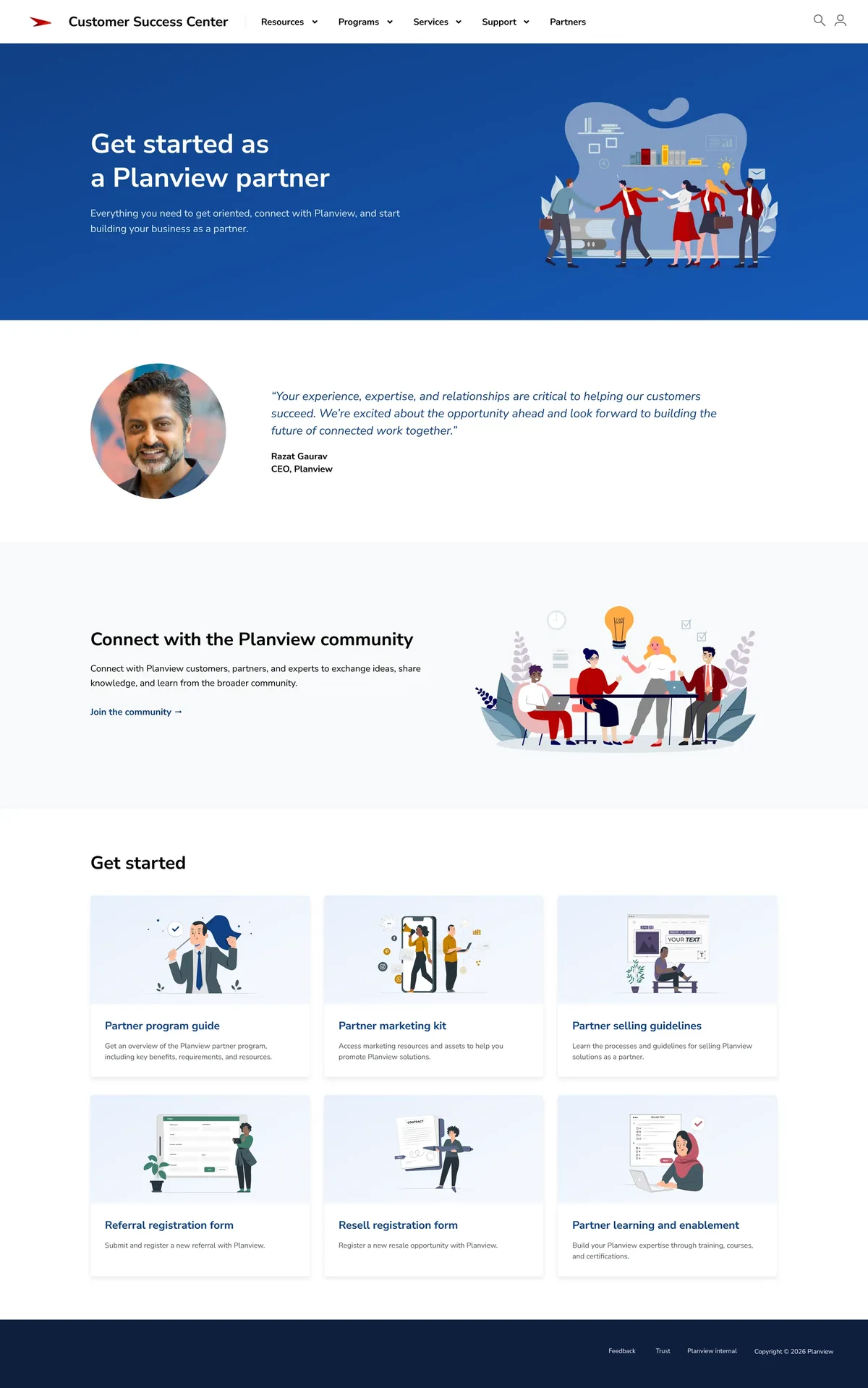
New partners didn’t always know what resources existed yet, much less what to search for.
I created a dedicated starting point that brought program guidance, registration, learning, and foundational resources together around a simpler question: what do I need to know to get started?
Supporting partners as they grow
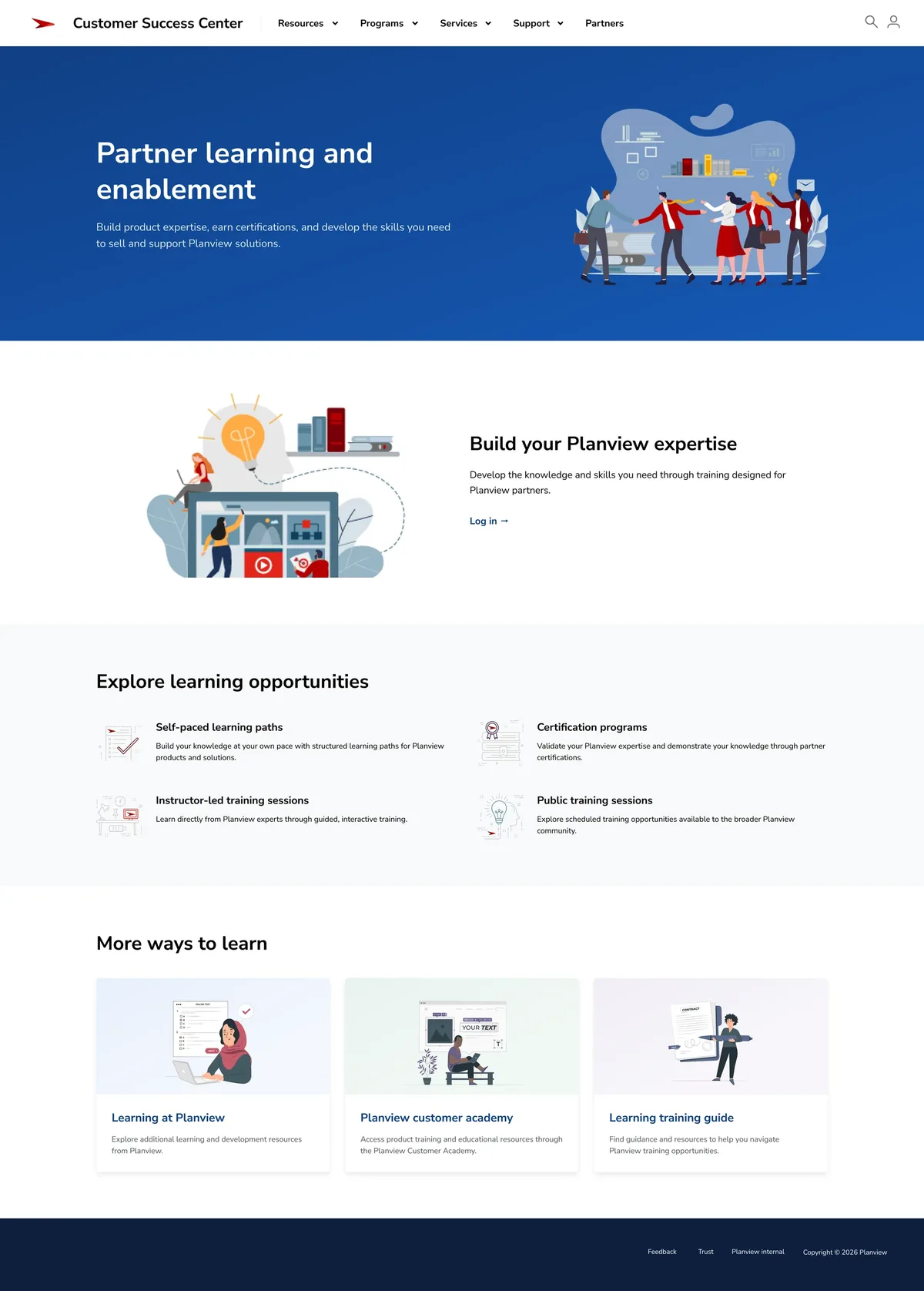
Learning and enablement supported partners across roles and stages of the relationship.
I kept those resources easy to reach as a shared destination, giving partners a consistent place to return as their needs changed over time.
What I learned
Needs make a better structure than audiences
Sales partners, implementation partners, and new partners overlapped more than they differed. Organizing around what partners needed to accomplish kept shared resources in one place instead of duplicating them across audience-specific pages.
Design the workflow behind the interface
Partner Enablement already maintained the catalog in a spreadsheet. Using those same columns as filter facets created a searchable experience without changing the team’s existing process. The portal stays current because nobody has to do anything new to keep it current.